 TokenBar
Overview
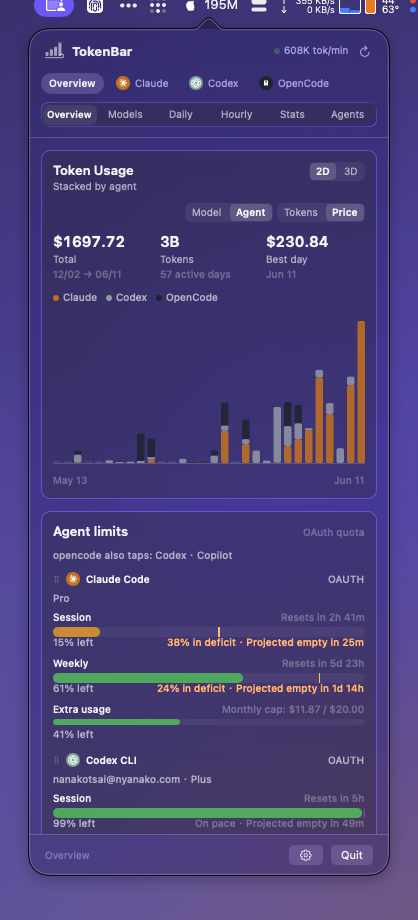
The whole picture — contribution chart, agent limits with pace, live session, model breakdown, streaks.
Local-first · Native macOS menu bar
TokenBar reads your AI coding logs on-device and lays your spend bare across 25+ agents — Claude Code, Codex, Cursor, OpenCode and more. Native Swift, dressed in Liquid Glass. No telemetry, no account. Just the numbers.
25+ agents · 7 lenses · 160 fps 3D · 0 telemetry
Native Swift · Liquid Glass
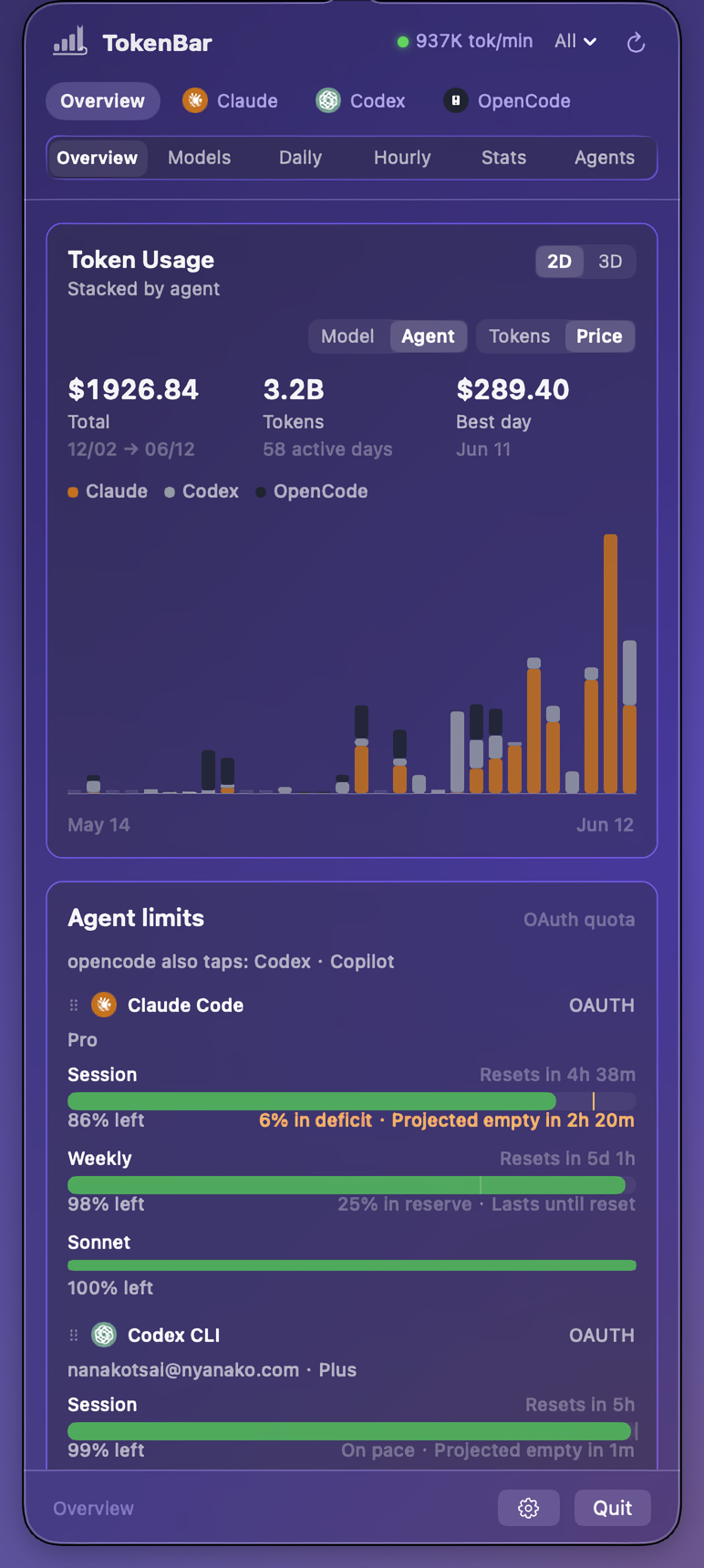
This is TokenBar — since v1.0.0 the app is a ground-up native rewrite. Same dashboard, same numbers as the original, now with the system’s own glass, springs, and speed.
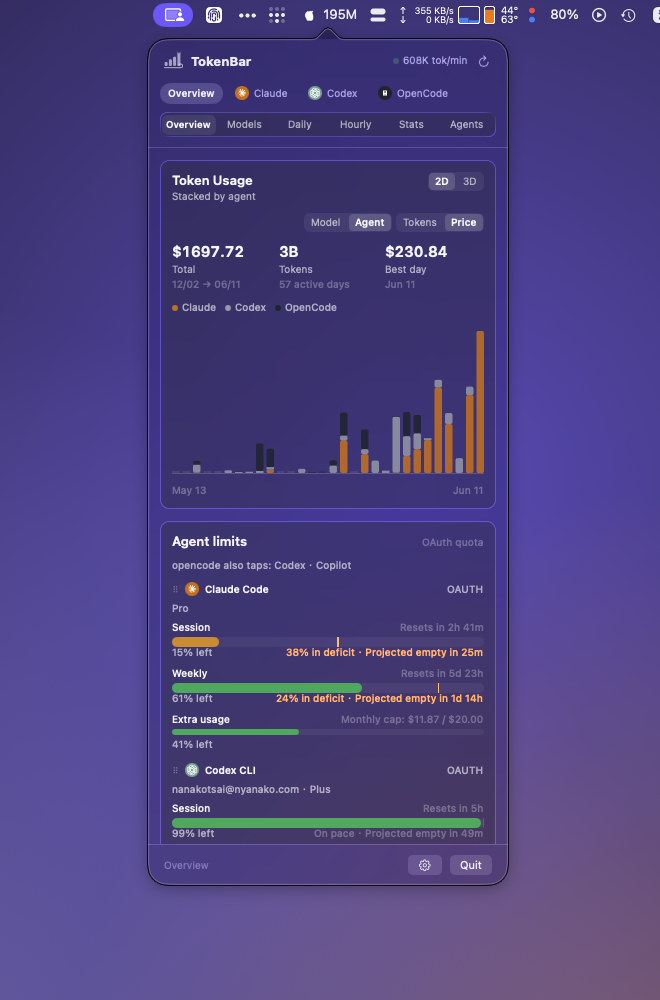
SwiftUI + AppKit around a Rust core — no webview. The popover opens instantly and feels like part of the OS, because it is.
On macOS 26 the dashboard renders as Liquid Glass cards floating over your wallpaper — the real system material, not a CSS imitation. Earlier systems get a vibrancy fallback.
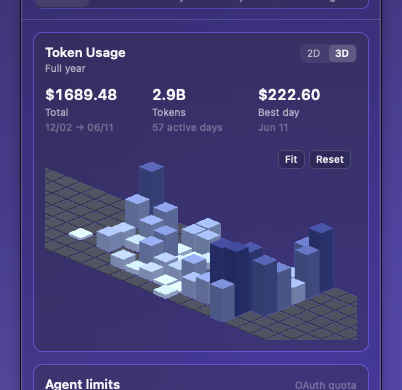
The year-at-a-glance contribution terrain is a real 3D scene you orbit and zoom — camera position remembered across opens.
In-app updates arrive over a signed Sparkle feed, with release notes summarized from the actual commits. Beta channel is one Settings toggle away.
oiiai cat from tokcat, Party Parrot from RunCat. Hover to feed them tokens.
A gauge, not a mascot
Your token throughput as a single glanceable critter: idle when nothing's flowing, whirling when Claude Code is mid-refactor. One look at the menu bar tells you how fast the meter is running — no window required.
The menu-bar pet, a critter that animates faster the harder you work it, is the invention of RunCat by Takuto Nakamura, and Party Parrot comes from there too. tokcat by handlecusion brought the idea to token tracking and made the oiiai spinning cat its signature. TokenBar began as a tokcat fork and reuses both, kept with gratitude.
The menu bar is the dashboard
The status item can gauge what's left of your subscription window — as signal bars, a ring, or a popsicle that melts as your five-hour window drains. Battery-style colors kick in when it matters: amber under 25%, red under 10%. Right-click picks which subscription it tracks.
drawn live on a 16px grid · same geometry as the app
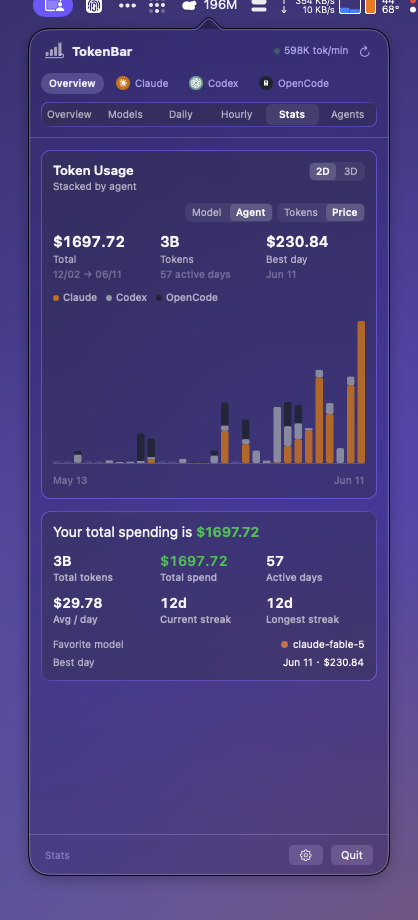
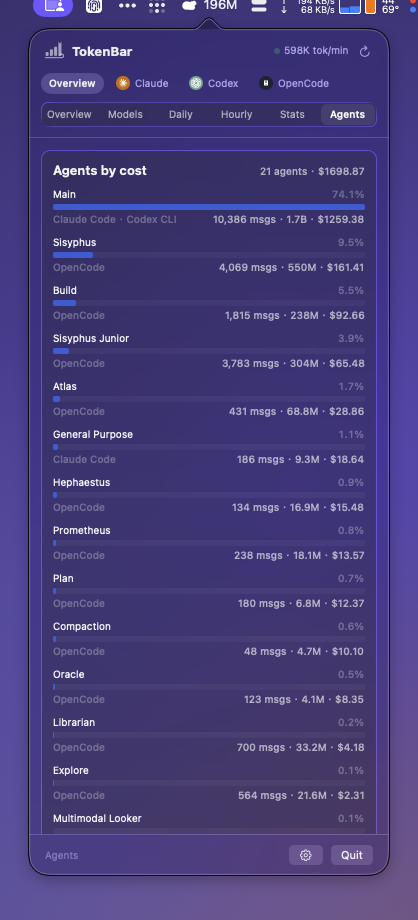
One popover, seven lenses
Pick which agents you’re looking at, then choose how to break them down — a multi-view dashboard modeled on tokscale’s TUI, lenses and columns and all.
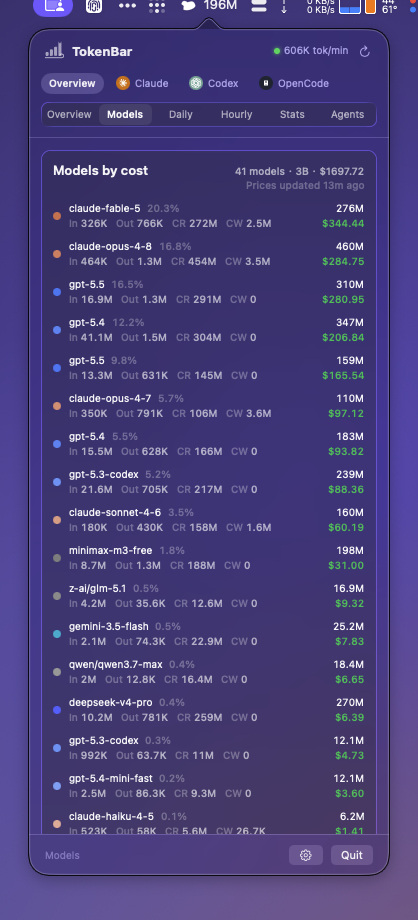
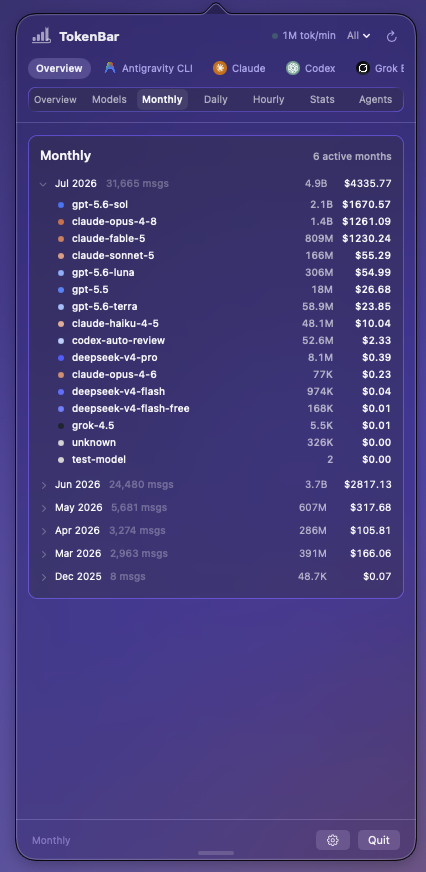
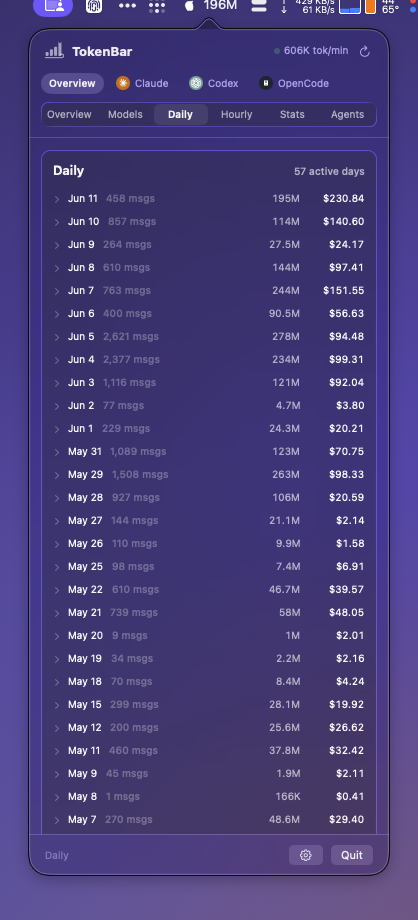
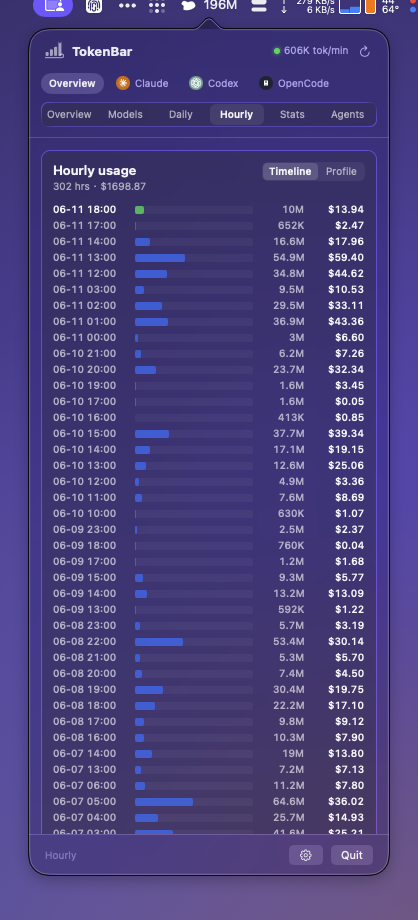
Local-first by construction
TokenBar is built so the honest answer to “where does my data go?” is: nowhere.
Usage comes from the session logs already on your disk. Nothing is uploaded, nothing is mined — the parse happens locally via the vendored tokscale-core.
No analytics, no sign-up, no cloud sync. TokenBar never phones home with what you do or what you spend.
Network access: the signed updater feed, public model-pricing data, and — only when you have local Codex/Claude OAuth credentials — direct vendor quota lookups for the limit cards. No third parties, ever.
Two minutes, Apple Silicon
TokenBar installs through Homebrew for Apple Silicon Macs on macOS 14+. The fully-qualified cask auto-taps, so there is no separate brew tap step.
The shipping app. In-app updates arrive over a signed Sparkle feed and are verified before install; beta builds are an in-app Settings toggle, not a separate cask.
$ brew install --cask nanako0129/tokenbar/tokenbarStill on an older Mac? tokenbar@legacy pins the final Tauri build (v0.4.5, macOS 11+) — the legacy repo is archived but the cask stays. Building from source? Swift 6 + Rust, Command Line Tools are enough.
Questions
The short answers most people want before installing.
A free, open-source native macOS menu-bar app that reads your local AI coding session logs and shows what you’re spending — across a contribution graph, per-model and per-agent breakdowns, monthly, daily, and hourly views, and live throughput. No CLI to run, no account.
25+ agents from their local logs — Claude Code, Codex CLI, Cursor, OpenCode, Gemini CLI, Copilot CLI, Amp, Droid, Hermes, Goose, Kilo/KiloCode, Roo Code, Qwen, Kimi, Crush, Zed, Kiro, Trae, Warp and more. Parsing is handled by the vendored tokscale-core, so coverage tracks tokscale.
No. TokenBar is MIT-licensed and free — no subscription, no paid tier, no telemetry.
TokenBar began as a Tauri fork of tokcat. With v1.0.0 (June 2026) it was replaced by a ground-up Swift rewrite around the same Rust parsing core — the `tokenbar` cask now installs the native app, and the Tauri repository is archived. A `tokenbar@legacy` cask pins the final Tauri build (v0.4.5) for macOS 11+.
In-app, over a signed Sparkle feed — each release is signature-verified before install, with release notes summarized from the actual commits. Want beta builds? It’s a toggle in Settings, not a separate install.
Nowhere. Usage history is read locally from disk. Network requests are limited to the signed updater feed, public model-pricing data, and optional Codex/Claude quota lookups using the OAuth credentials already on your machine — that’s what powers the menu-bar quota gauge and the agent limit cards.
TokenBar targets Apple Silicon (arm64) on macOS 14+; Liquid Glass needs macOS 26, earlier systems get a vibrancy fallback. The legacy Tauri build covers macOS 11+. There’s no Intel, Windows, or Linux build.
brew uninstall --cask tokenbar.
Standing on shoulders
TokenBar wouldn’t exist without these projects — thank you to their maintainers.
The foundation. Its vendored tokscale-core crate drives TokenBar’s session parsing, dedup, and pricing across 25+ agents — and its interactive TUI is the blueprint for the whole dashboard: the seven lenses and their In · Out · CR · CW column breakdown.
View on GitHub ↗Where TokenBar’s product line began — the original Tauri menu-bar monitor (itself built on tokscale). The native app is a ground-up Swift rewrite that carries no tokcat code, but the menu-bar pet form and the oiiai spinning-cat signature are theirs.
View on GitHub ↗The original menu-bar pet, the creature that runs faster the busier you are. Party Parrot, and every critter that has sprinted across a Mac menu bar (tokcat’s and TokenBar’s included), traces back here.
View on GitHub ↗TokenBar’s quota-pace presentation — ahead of or behind your window, projected run-dry time — references CodexBar’s approach.
View on GitHub ↗